
Save recipes from any website, without the clutter
You found the perfect recipe, buried under a long story, pop-up ads and a video that jumps the page. Paste the link into feedme.recipes and keep just the recipe: the ingredients, the steps, the times and the photo, on one clean page that is yours.
How it works
- Copy the web address of the recipe page.
- Open Add recipe and paste the link.
- feedme.recipes pulls in the title, ingredients, steps and photo, and shows you the result to check.
- Save it to My Recipes. From then on you can search it, scale it and cook from it.
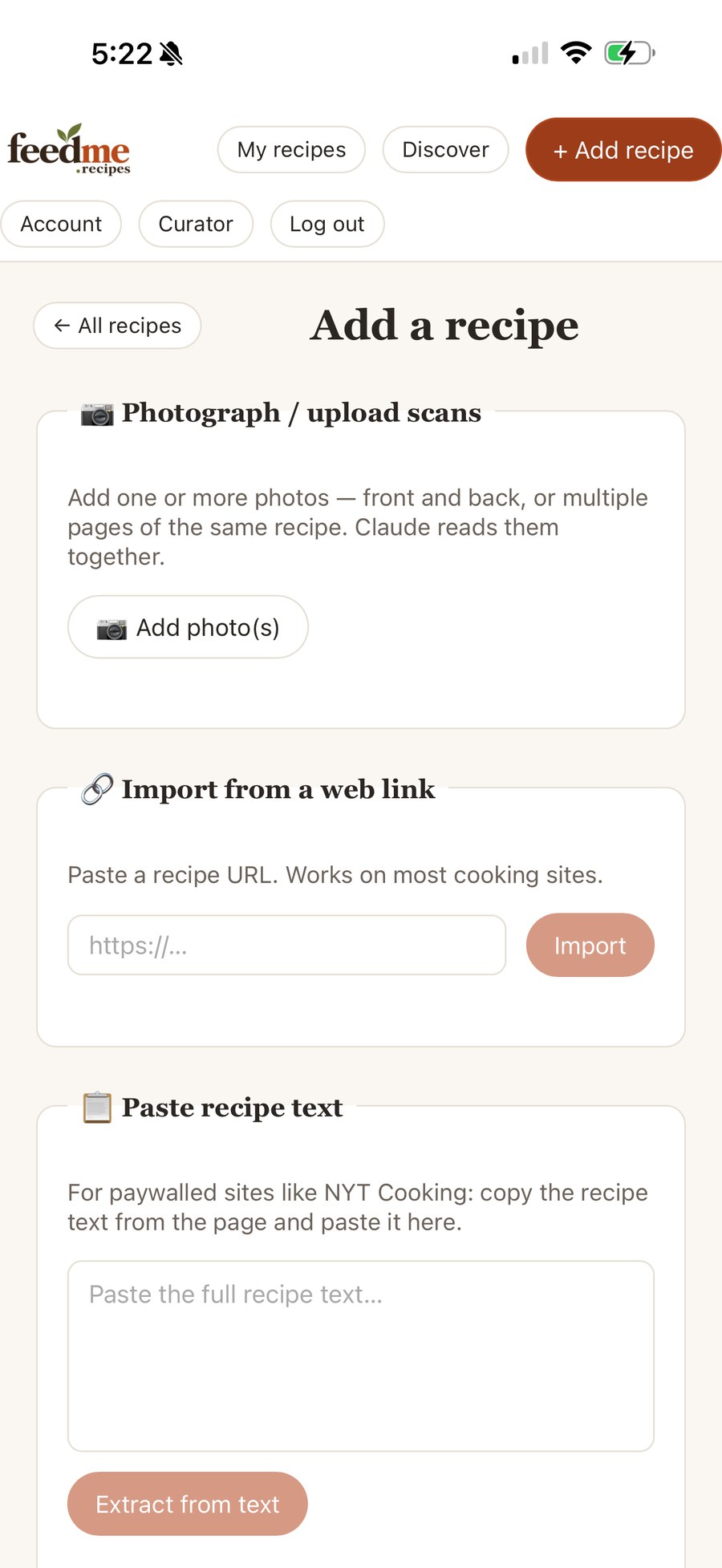
When a site blocks imports
A few sites don’t allow automatic imports. For those, add the Save to FeedMe button to your browser’s bookmarks bar. Click it while you are looking at the recipe and it saves the recipe straight from the page in front of you. You can also copy the recipe text and paste it in.
What every saved recipe gets
- A clean, readable layout: ingredients on one side, numbered steps on the other.
- Scaling from ½× to 3×, and a switch between US and metric measurements.
- Cook mode: one step at a time in large type, with your screen kept awake.
- Tags, favorites and named collections like “Weeknight” or “Holiday”.
- Search across titles, ingredients and steps.
- A clean printout for the kitchen.
Your copy stays put
Web pages get rewritten, move or disappear. Once a recipe is in your feedme.recipes collection it stays there, ad-free, until you decide to delete it. Your recipes are private unless you choose to share one.